Advanced analytics
for full spend visibility
Track travel spend with clear data and customisable reports.
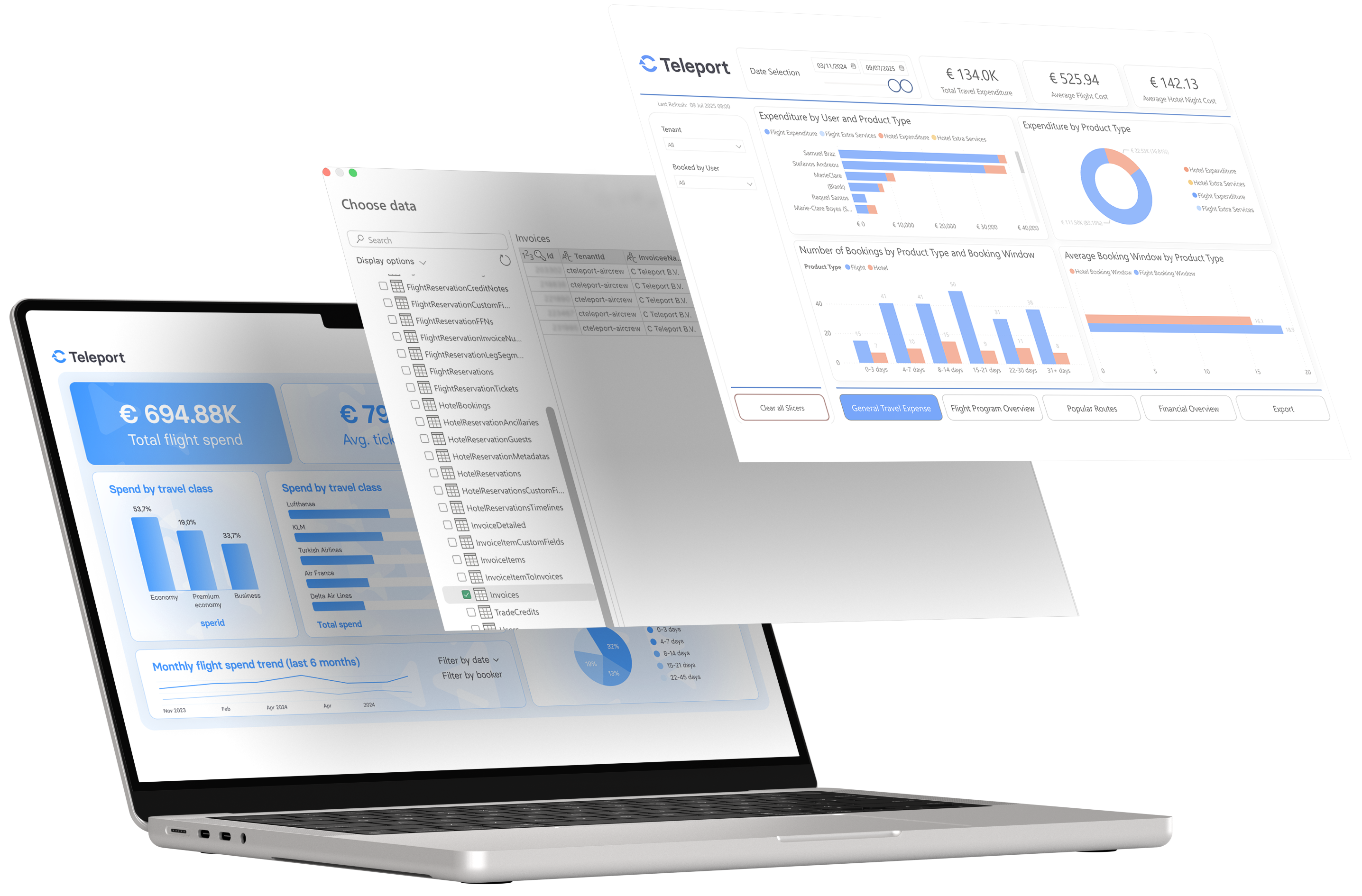
Turn data into savings

Stay ahead of unexpected costs
Spot hidden expenses and address inaccuracies before they impact your budget.

Monitor and improve compliance
Stay on top of policy adherence across teams without the manual effort.

Gain clarity across teams and budgets
Improve cost control and forecasting with detailed, customisable reporting.

Strengthen your negotiating power
Use data-driven insights to secure better fares and keep travel costs predictable.
-

Stay ahead of unexpected costs
Spot hidden expenses and address inaccuracies before they impact your budget.
-
Monitor and improve compliance
Stay on top of policy adherence across teams without the manual effort.
-
Gain clarity across teams and budgets
Improve cost control and forecasting with detailed, customisable reporting.
-
Strengthen your negotiating power
Use data-driven insights to secure better fares and keep travel costs predictable.
Plug into templates or build custom reports
-
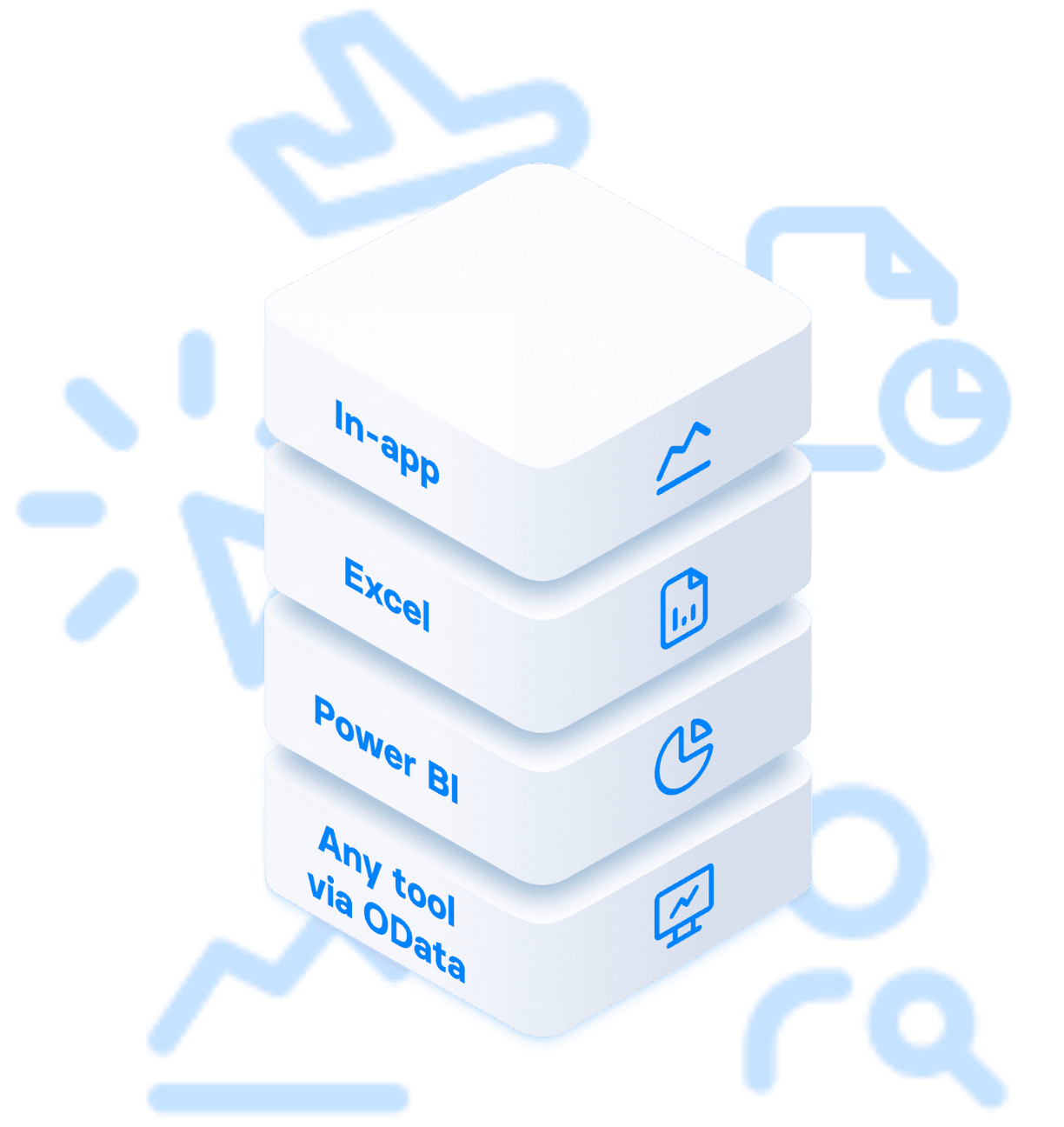
Export to Power BIGet instant cross-team visibility with a pre-built, downloadable report template.
-
Export to ExcelQuickly filter, group, and analyse data with ready-to-use spreadsheets.
-
Connect to any tool via ODataBuild fully customisable reports for Tableau, Looker Studio, SAP, and more.
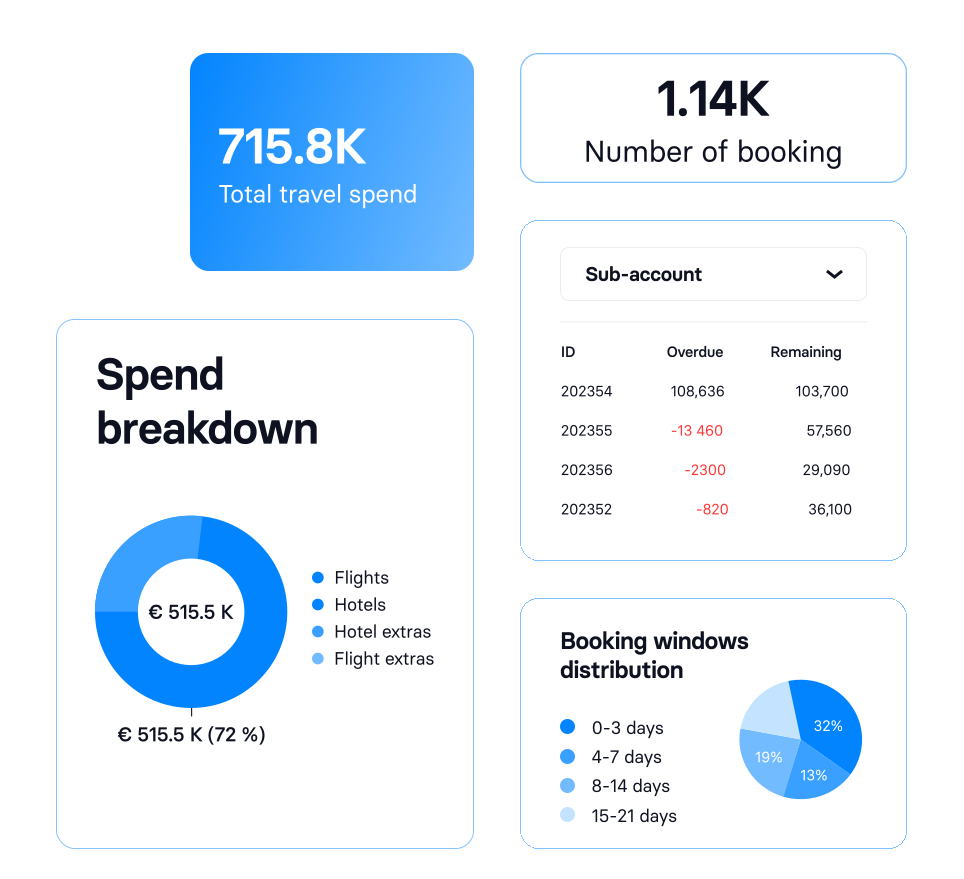
See the full picture with
custom reports for any scenario
Book your free demo today!
Trusted by complex corporate teams around the world
-
 Fugro
Fugro
Our experience with C Teleport has been nothing short of transformative. It has revolutionised our crew change operations, driving efficiency, and promoting cohesion across our global teams. The intuitive interface and robust functionality have streamlined our operations, resulting in significant time and resource savings. I highly recommend this tool to any maritime company seeking to optimise their crew management processes and enhance operational effectiveness.
Lea Versteeg
Global Travel Manager -
 Scylla
The C Teleport support team is simply amazing, outstanding and problem solving within a proper time frame. Every single officer at customer support is professional and with a beautiful attitude.
Panayiotis Chrysostomou
HR crewing officer -
 Union Aviation
After this integration, our work has become much easier and crew swap planning has become simpler and faster. As a result of one click, everything is ready.
Union Aviation
Crew planning team -
 Rederi AB Väderö Tank
This platform has completely transformed how we manage our crew’s travel. It’s easy to use, incredibly efficient, and has saved us both time and hassle. The real-time updates and ability to manage everything from one dashboard are absolute game-changers!
John Hidalgo Casablanca
Crew Manager -
 Dese Crew Management
We used to go through a travel agency for every flight. It was a lot of back and forth, waiting for replies, following up, and dealing with delays.
We also struggled to get a clear view of the travel costs. It wasn’t easy to track or report on anything.
Now we just book flights ourselves. It’s quicker, we see all the options, and the pricing is clear. C Teleport made our travel management so much simpler.Cemil Boyraz
CEO -
 Hansa Safety Services
C Teleport has made things much easier for us, as colleagues can now book their own flights directly. The only thing left for the supervisor to do is approve the flight with just one click. This should streamline our processes significantly and save us all some time.
Ensar Sengül
General Manager -
 Seashell Marine Services
Last-minute changes are common in our work. Having a platform that can handle them easily has made a big difference in how we manage travel. The most valuable part of working with your team has been the combination of user-friendly technology and consistently reliable support. The support chat is truly amazing and has helped us a lot. It’s fast, efficient, and has made the booking and troubleshooting process much smoother.
Fatima Zahraa
Operations Manager -
 AFF windservices
We chose C Teleport for its easy-to-use platform that handles more than just flights, along with its straightforward invoicing system that helps manage monthly budgets and cash flow. Our experience so far has been wonderful—support is always available when needed and provided in the right way. Additionally, when we encountered involuntary flight changes earlier this year, C Teleport ensured we got our value back seamlessly.
Afonso Faria
CEO -
Rederi AB Väderö Tank
The launch of the new feature to edit vessel information has significantly streamlined our operations. The user interface is intuitive, and what used to take multiple steps is now done in just a few clicks. Real-time updates allow us to ensure that all our data is accurate, which is crucial for optimizing fleet management. Highly recommended for teams aiming to stay ahead with modern tools that truly make a difference!
John Hidalgo Casablanca
Crew Manager -
 Sangfroid Group
As a frequent business traveller, efficiency and reliability are paramount when booking flights. Our experience with C Teleport has been nothing short of exceptional. Utilising their advanced flight booking system, C Teleport has streamlined our travel planning process, making it effortless and highly effective. From the outset, they took the time to understand our specific business needs, travel preferences, and budget constraints.
Carla Dale
Finance Manager -
 Blue Planet Shipping
C Teleport’s website stands out for its intuitive interface, facilitating a seamless booking experience for both flights and accommodations. The platform enables me to effortlessly compare prices and options, ensuring optimal decisions regarding travel arrangements. Particularly noteworthy is the mobile application, which allows for convenient management of bookings and prompt modifications, essential for navigating any unforeseen travel disruptions.
Nikolaos Tariq Intris
Assistant Crew Manager -
 Performar
Flexibility and control are the most important factors for me!
I’ve worked in crewing since 1997, and until I started using C Teleport, I always relied on travel agencies specialising in marine fares. At my previous workplace, our Manila office had an entire travel team handling bookings. They used Amadeus, compared quotes from two travel companies, and then sent us the best options. Naturally, this process took time—requesting a flight, waiting for options, confirming or adjusting, and then finally getting the tickets. Changing flights was just as time-consuming.
Today, I book flights in advance to secure better prices, but with C Teleport, I know I can easily revise bookings if anything changes. The best part? I can do it all from anywhere—in the car, at the supermarket, or while out walking. I’m no longer tied to my desk!
Becky Hudson
Co-Founder and Director










Frequently asked questions
-
You get detailed reports that show all your travel spending, booking patterns, and related invoices. This gives you full visibility and control over costs across multiple teams or departments. Reports are automatically generated based on your company’s bookings and accounts in C Teleport.
Technically, you can access your data lake through the Open Data Protocol (OData), where we store a multitude of data from your C Teleport Bookings and invoices.
-
You can access C Teleport data in three different formats:
- Power BI template: Use a ready-made dashboard to view key travel and cost insights.
- Excel Access: Download all available raw booking and invoice data from our data lake for custom analysis.
- API connection: Connect directly to your data through OData. We add new data fields regularly upon customer requests.
These options can be combined in a way that best fits your workflow. For example, a Power BI dashboard for cross-team visibility, combined with Excel tables for finance reviews.
-
Yes. You can export all your data in detailed formats and build any custom report in your preferred BI or analytics tool. Many customers start with standard templates like spend by airline or route, then expand to bespoke dashboards.
-
- We update your data daily at 3 pm (CET).
-
First, you need to ask your Customer Success Manager to generate an access key for you.
Then the Customer Success manager will send the access key (name and password), and depending on the selected data format, you can read below how to access your Advanced reporting
-
Yes. The data comes directly from our corporate travel platform, which ensures reporting is accurate, live, and fully integrated. No third-party syncs or exports needed.
-
Yes. You can export data to your existing BI tools or integrate via travel API to sync with ERP, HR, or procurement systems.
-
You can book a live demo to explore how C Teleport’s reporting fits into your travel program and see choose reporting formats for your business needs.