Your team books faster when nobody’s duplicating work. Travel Requests now show who’s already working on a request, so two people never search the same trip at once. And flight search now lets you pick your outbound and return flights separately, instead of scrolling through hundreds of combined options.
Plus: nearby-airport suggestions for business trips, and admin-set default answers for checkout fields.
👀 See who’s working on travel requests
Travel Requests now shows you who’s already working on it, so there are no more two people searching the same request at the same time, and no more wasted minutes when that happens.
The moment a booker opens a request and starts searching, it’s marked “in progress” with their name, so the rest of the team moves straight to the next one. Step away mid-search, and the request frees up automatically after a short window. Nothing gets stuck.
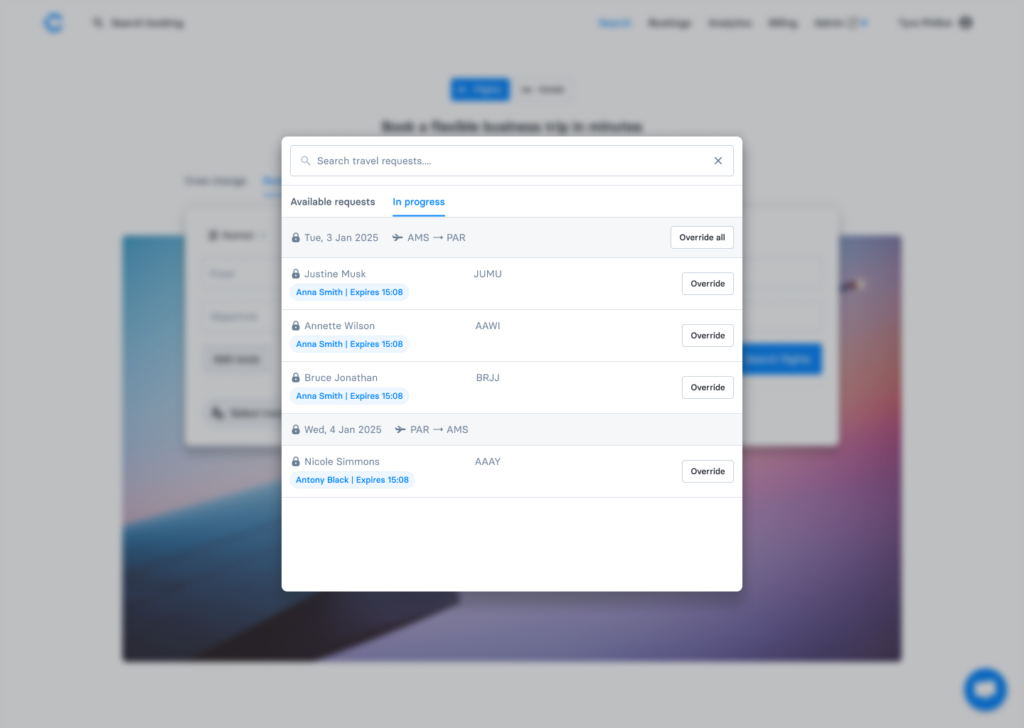
→ Already live in your Travel Requests view, no setup required.
🔀 Search outbound and return flights separately
You can now search and filter your outbound and inbound flights separately.
Instead of seeing hundreds of return-trip combinations at once, you can now select outbound and inbound flights step by step. The same pattern used by major airline websites.
Prefer to see both flights together? The combined view is still there. Just toggle it on.
→ Experience is available for pilot customers. To join the pilot, contact teamcs@cteleport.com or your CS Manager.
✈️ Nearby airport suggestions for business trips
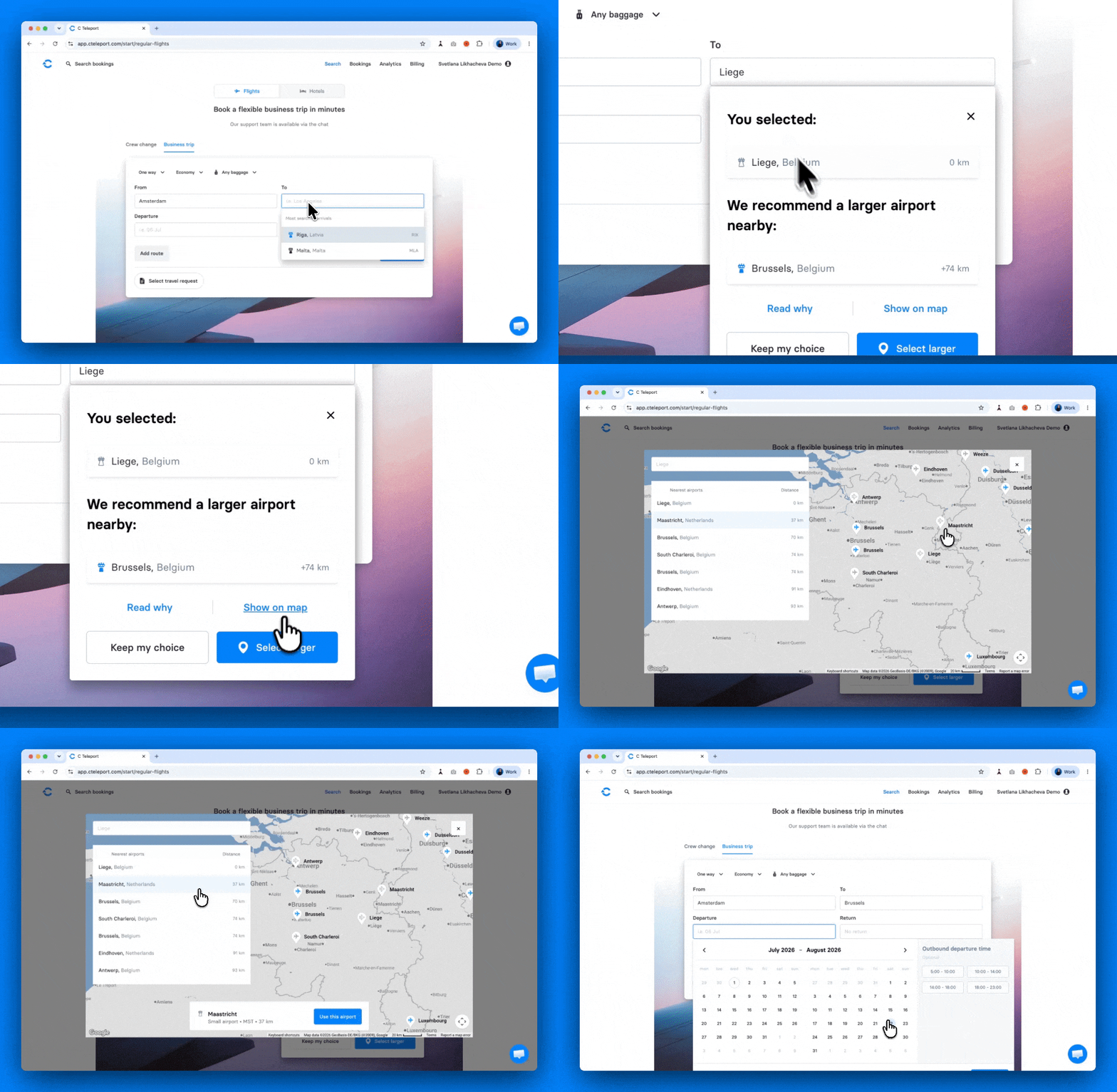
If you book from a small or cargo-only airport (like Liège), C Teleport now flags it. It suggests a better-connected alternative nearby, with more flights and often lower fares. Now it’s live on Business trip search too, for both Origin and Destination.
It works the same way no matter how the airport got entered, whether by manual search or Travel Request autofill. You’ll see the suggestion every time a smaller airport could cost you options.
→ Just search as usual on the Business trip form. When a small or mid-size airport comes up, we’ll show you the nearby alternative. You decide whether to switch.
🔁 Pre-filled check-out fields
If your team always picks the same answer for a custom field at checkout, like always choosing “Crew Change” as the reason for travel, re-selecting it on every single booking wastes time.
Admins can now set a default answer for any custom field, so it’s already filled in when your team checks out. One setup step, and it’s one less click for everyone, every time.
→ Want this enabled for your account? Contact teamcs@cteleport.com or your CS Manager.
Submit product ideas, vote on other customers’ requests and follow what our product team is working on next via the Feedback portal.
And if you’re new to C Teleport, you can book a demo today to see what this could look like for your team✈️