Managing crew travel means repeating the same actions over and over: searching, filtering, downloading, updating systems. This month’s updates remove that repetition.
AI-powered search: set filters and search in one go
Booking usually means adjusting filters again and again.
Now you can just type or speak what you need, and get results instantly.
- Describe your flight, and filters apply automatically
- Paste a previous flight and find it immediately
- Share a search with the same setup, no rework
Read more about how to use AI features → on the FAQ portal.
Tighter time filters
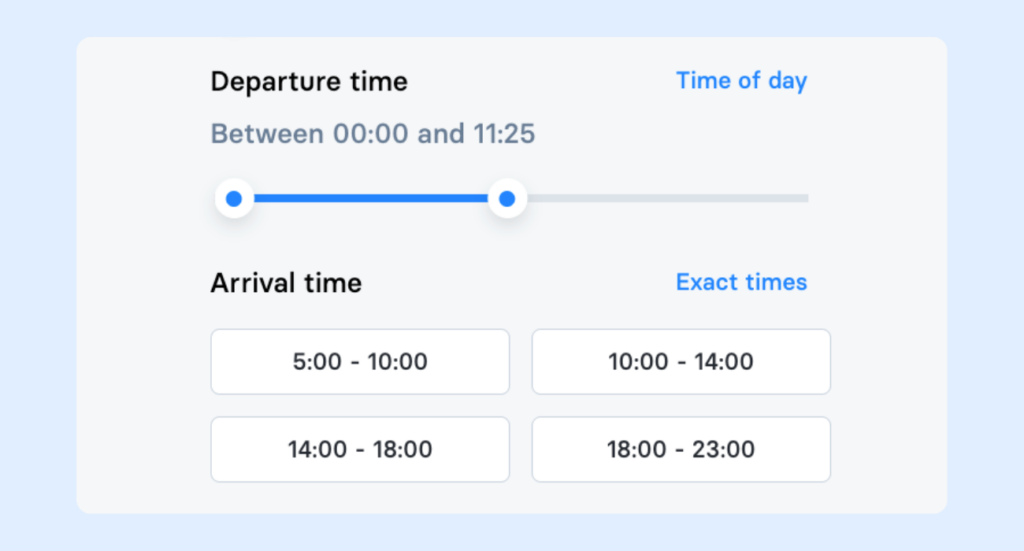
Departure and arrival sliders now move in 5-minute steps instead of 30. Fewer missed flights in tight operational windows.
See where your team is already flying
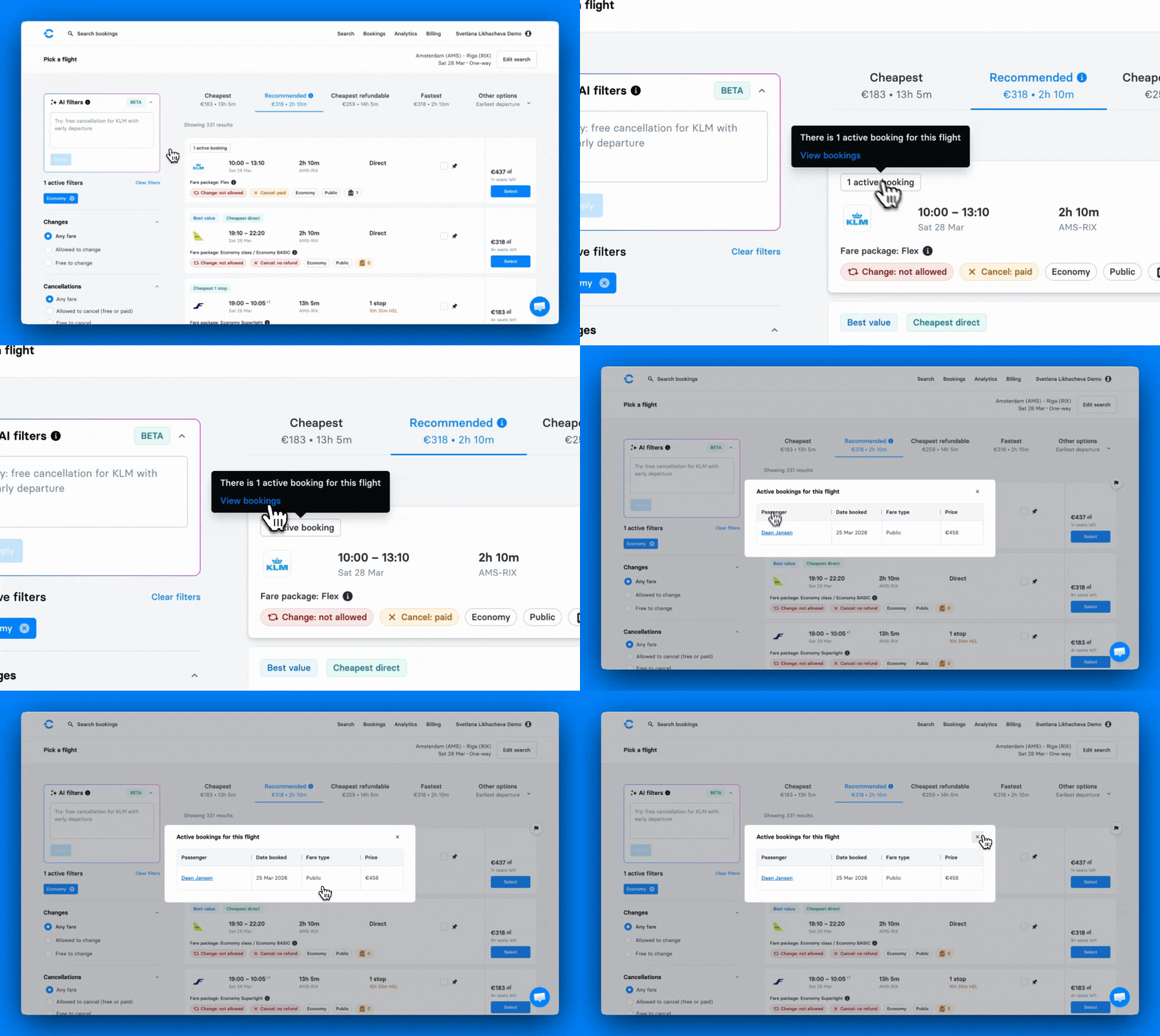
When crew splits across flights, transfer costs add up. Now you can see which flights are already booked directly in search, making it easier to join the existing booking.
- Flights with existing bookings are highlighted with the active bookings badge
- They’re pushed to the top of the Recommended sorting
- Hover the badge to see exactly who’s on board
Download all tickets in one click
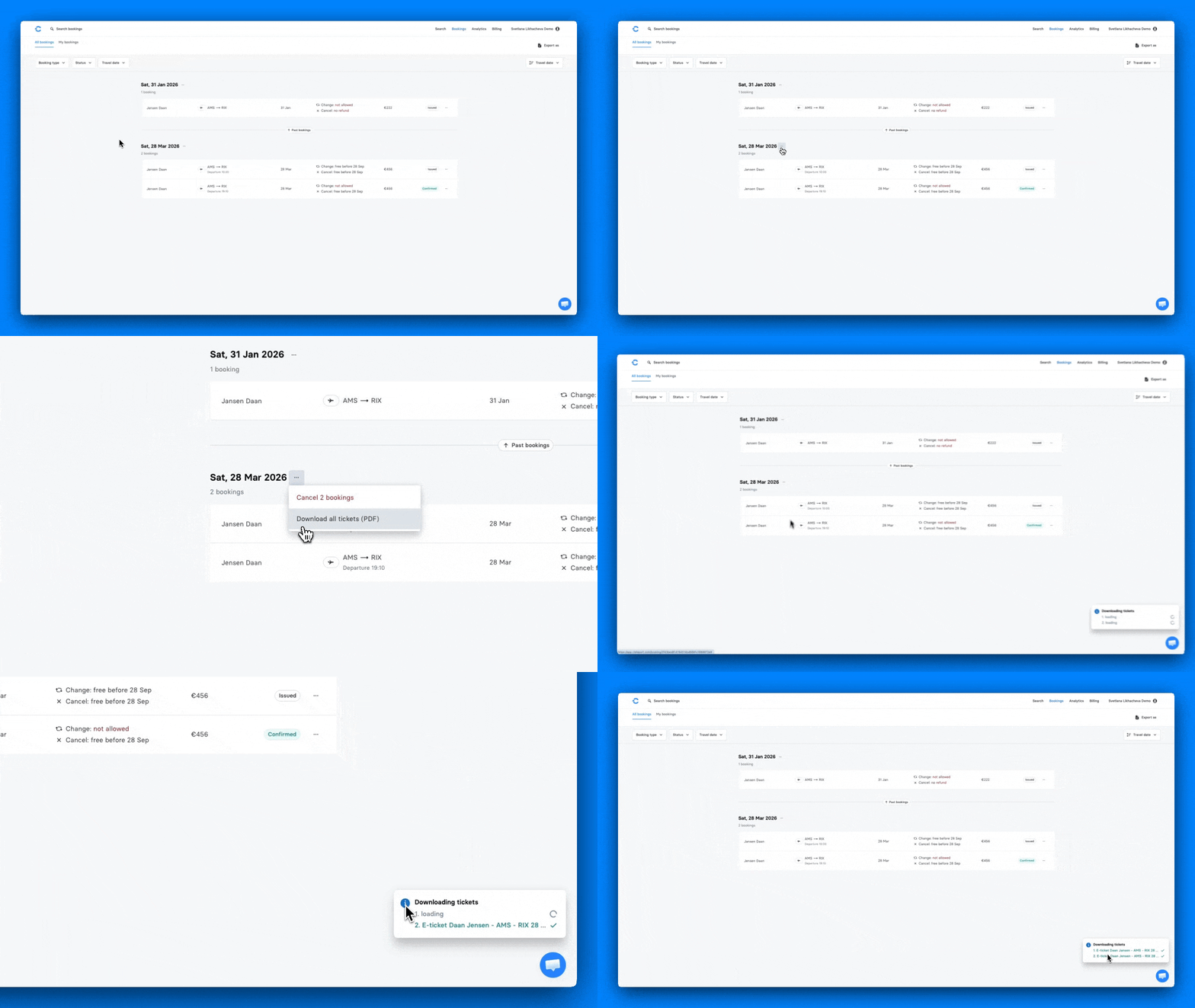
You can now download all flight tickets booked for the same departure date in one click. They will be saved as separate PDFs.
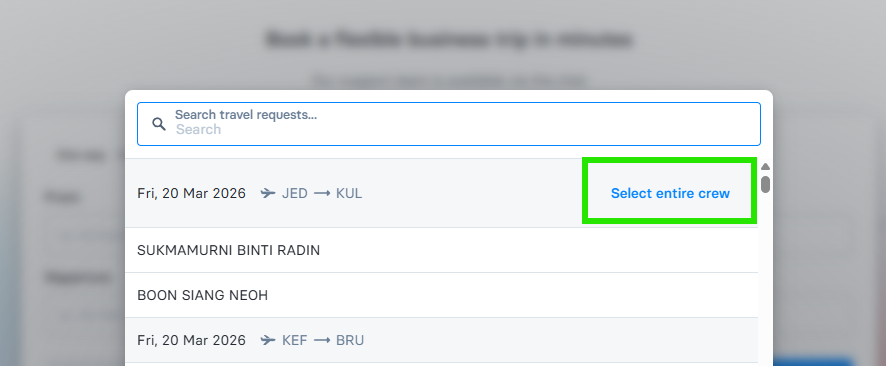
Book business trips for the entire crew
Travel Requests for Business trips now support bookings for multiple travellers in a single request. Find it under Business Trips. When creating a Travel Request, you’ll now see the option to add multiple travellers from the start.
NavBlue sync, fully automated
If your team uses NavBlue (N-OC) for crew scheduling, you no longer need to manually update both systems.
- When you plan a positioning in NavBlue, it automatically creates a travel request in C Teleport.
- After you make a booking, the related crew planning in N-OC is automatically updated with relevant travel details.
- If crew positioning is deleted in N-OC, the related bookings are cancelled without extra steps from your side.
Invoices, already split for you
Handling invoices covering multiple vessels or services often meant splitting them manually — a slow, error-prone process.
Now you can receive invoices already split by vessel and service type, ready to go into your systems.
Contact your customer success manager to enable this for your organisation.
Links open directly in the mobile app
Share a booking via WhatsApp or email, and it opens directly inside the C Teleport mobile app — right where it needs to be.
Contact teamcs@cteleport.com to request more information about the updates 🌟
And, if you’re new to C Teleport, you can book a demo today to see what this could look like for your company. 🌟
Here’s to smarter travel management, better cost control, and more convenience for your entire team! ✈️