Crew travel management often involves checking flight details across multiple sources, switching between systems, and manually ensuring bookings remain within policy.
This month’s updates are making this work simpler with hand luggage filters, updated sync with FL3XX, custom conditions for hotel policies, and more.
Filter flights by carry-on allowance
Baggage rules aren’t always clear when you’re booking.
Now you can filter flights by carry-on allowance directly in search — and see piece count and weight limits upfront on every result.
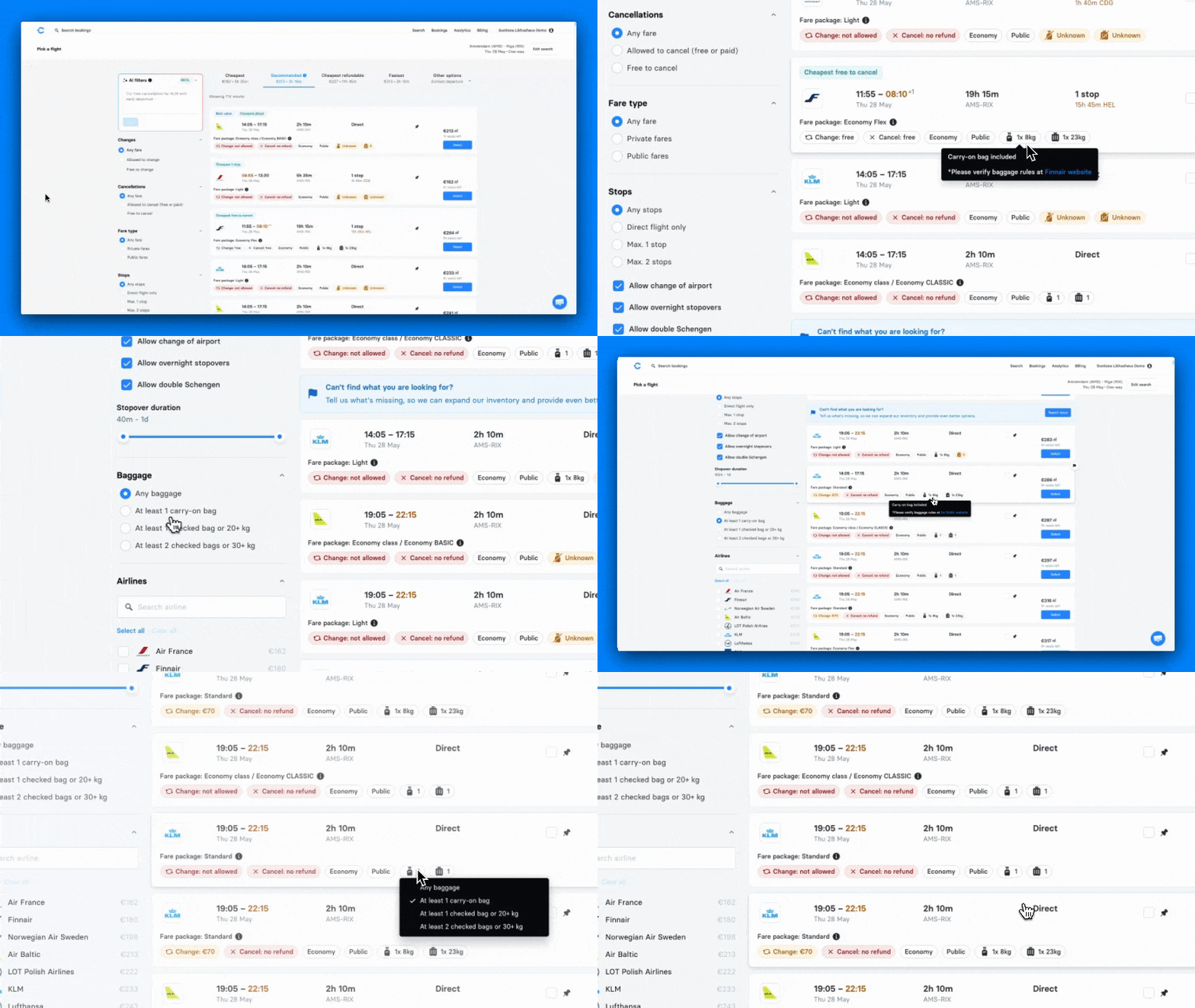
No more opening multiple tabs or double-checking airline websites.
Spot early and late departures instantly
Flights outside normal hours are easy to miss when you’re scanning results.
Now, very early and late departures are highlighted in orange, so you can catch them immediately and avoid inconvenient options before booking.

Updated FL3XX sync: no gaps between planning and booking
Managing travel across systems often means re-entering data and manually keeping things in sync.
Now your travel requests flow automatically between FL3XX and C Teleport.
- Create a travel request for crew positioning in FL3XX
- Open travel request and book the flight in C Teleport
- Get confirmation synced back FL3XX
Hotel travel policy with custom conditions
Standard policy rules don’t always reflect how your operation works.
Now you can restrict hotel bookings based on custom fields, like aircraft, cost centre, or any segment you define.
Set the rule once, and bookings that don’t match are blocked automatically.
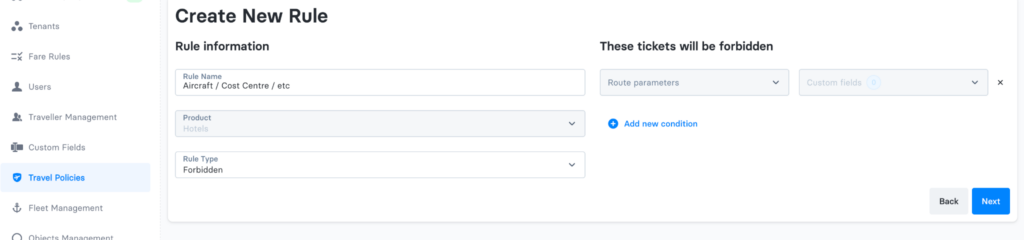
- Go to the hotel travel policies in your admin panel
- Create or edit a Forbidden rule and open Route Parameters
- Select “Custom fields”, choose the relevant field and value
- Save, and bookings matching that value will be blocked at checkout
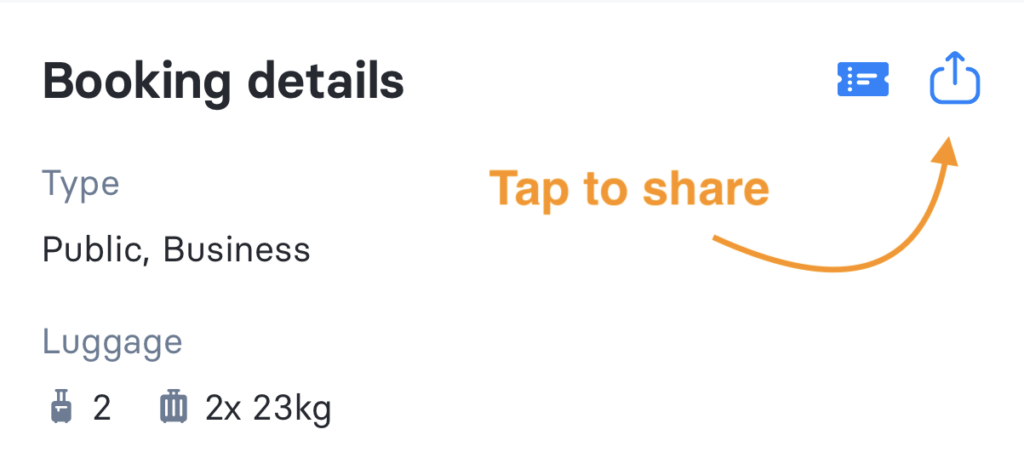
Share bookings from mobile in one tap
Sharing booking details from your phone often meant screenshots or forwarding emails.
Now you can send flight or hotel details directly from the app through any messaging platform your team uses.
- Open a flight or hotel booking in the C Teleport app
- Tap the share icon
- Choose your messaging app and send
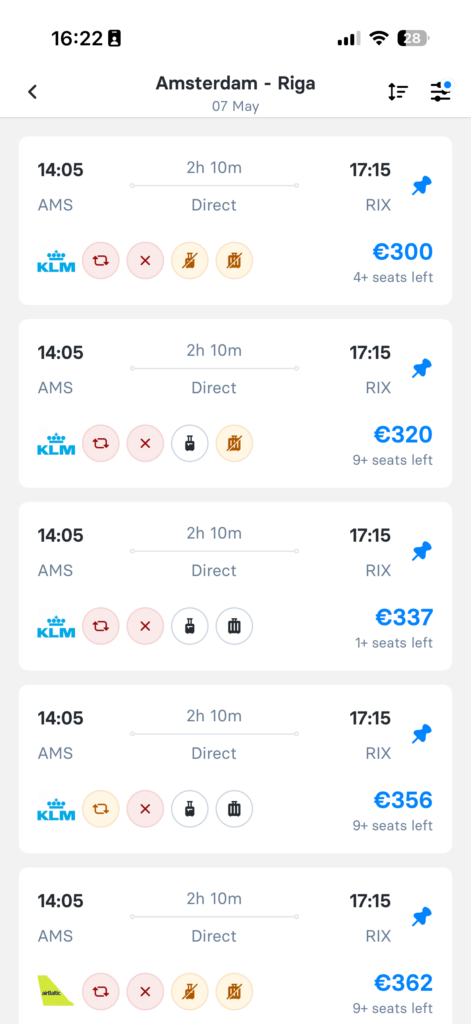
Flights on mobile: faster to scan, easier to compare
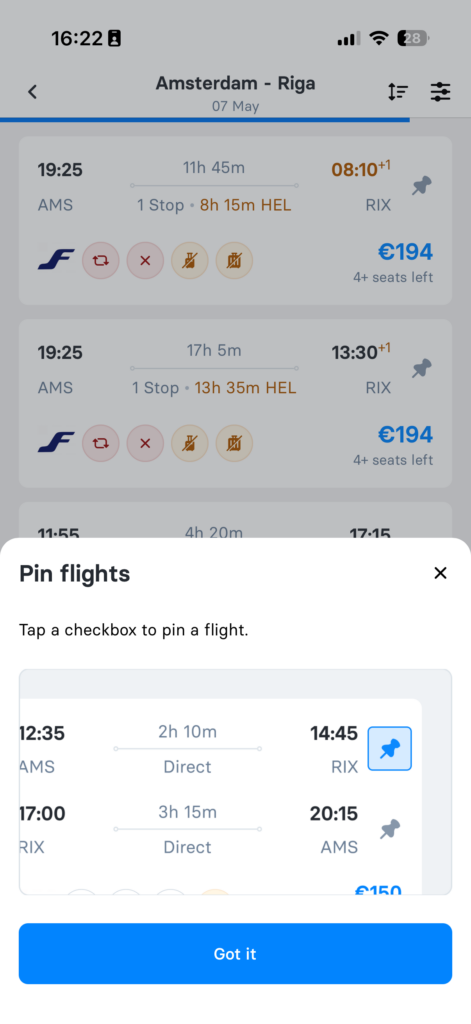
Reading flight details on mobile shouldn’t slow you down.
Flight cards now have a cleaner layout, so you can quickly scan fare conditions and baggage.
You can also pin a flight to focus only on its options, making comparison easier when you’re on the go.
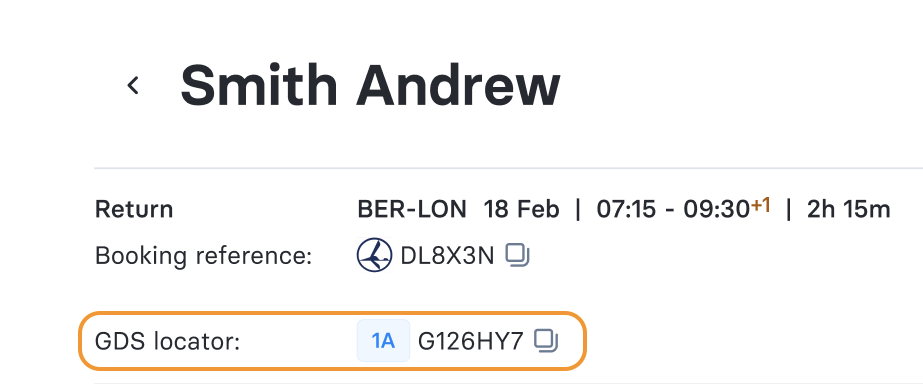
GDS locators visible where you need them (for white-label customers)
When your back-office team needs to act fast, missing booking references slows things down.
Now, for white-label customers, GDS locators (with office ID) are visible directly on the booking page for GDS bookings, so your team can jump straight into action without waiting on anyone.
Contact teamcs@cteleport.com to request more information about the updates 🌟
And, if you’re new to C Teleport, you can book a demo today to see what this could look like for your company. 🌟
Here’s to smarter travel management, better cost control, and more convenience for your entire team! ✈️