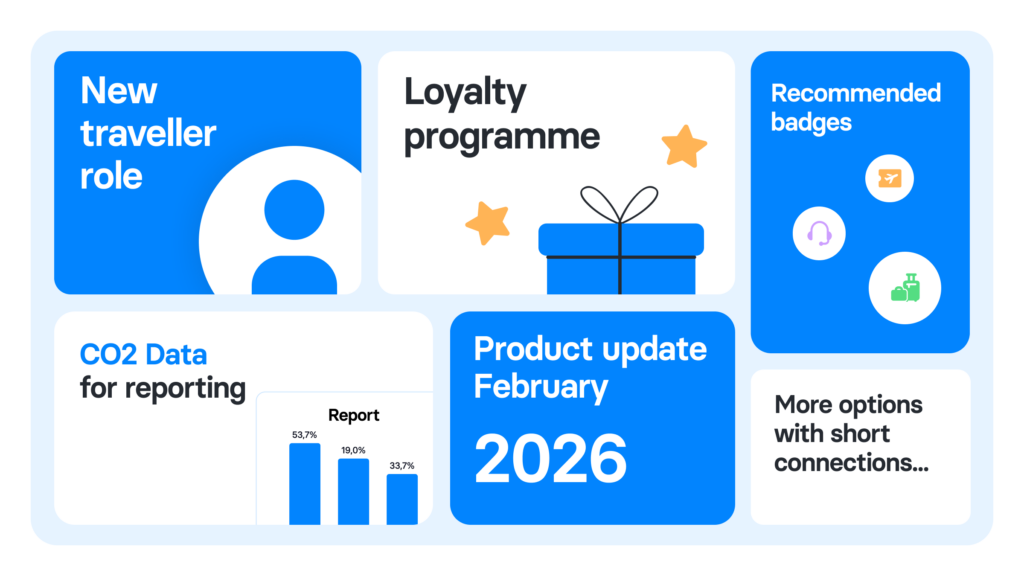
We’ve rolled out a set of product updates designed to give you more visibility, more control, and less admin. Here’s what’s new 👇
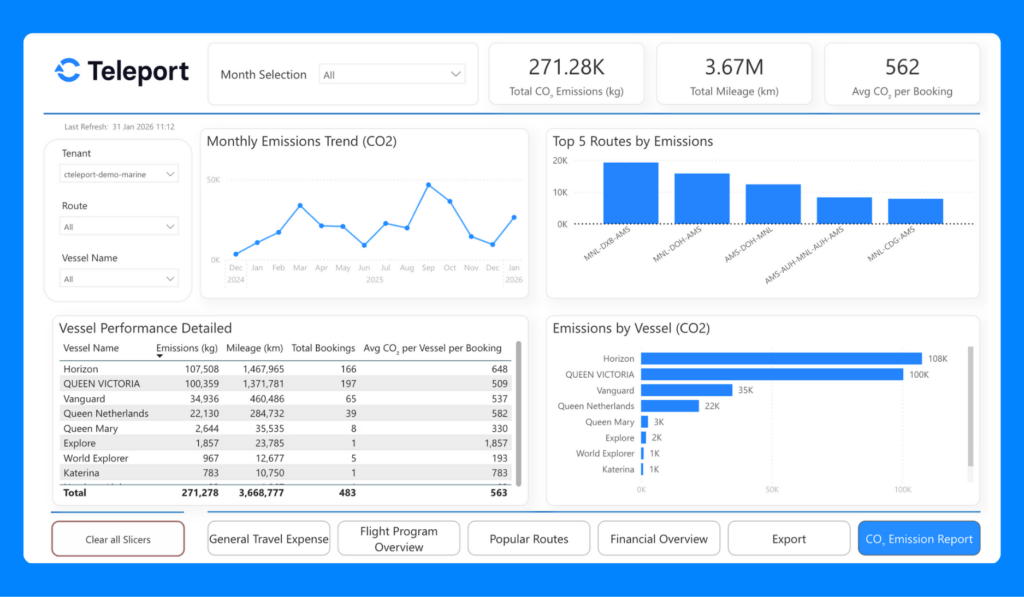
CO₂ emissions data, ready for your reporting
Access detailed CO₂ emissions data from your travel activity and use it in your internal reports and sustainability dashboards.
- Track emissions across trips and travellers
- Combine CO₂ data with cost and operational metrics
- Support ESG and compliance reporting with real travel data
Reach out to the customer success team to request access.
Improved loyalty programme support
You can now reuse the same frequent flyer number across airlines within the same alliance. The platform recognises airline alliances and applies the correct number where eligible.
Managing loyalty programmes is now simpler:
- Add and manage multiple loyalty programmes per traveller
- Store frequent flyer numbers directly in Admin
- Automatically populate numbers during checkout (when supported)
- Keep data in sync, whether added in Admin or during booking
FAQ: How to add a loyalty programme
New traveller role: visibility into your own bookings
You can assign a new Traveller role to colleagues who don’t book themselves or make only self-bookings. They can now see all trips booked for them — regardless of who created the booking.
Find the right flight faster
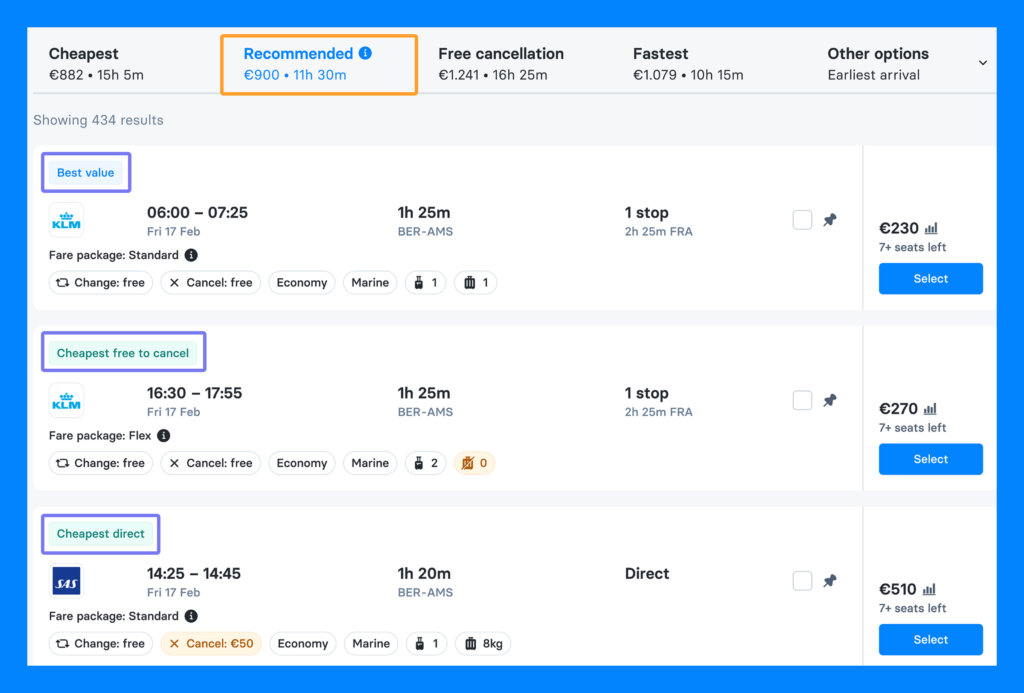
Flight results now show Recommended badges to help you spot the best options at a glance.
You’ll see badges like best value, cheapest free-to-cancel, cheapest direct, and cheapest 1-stop.
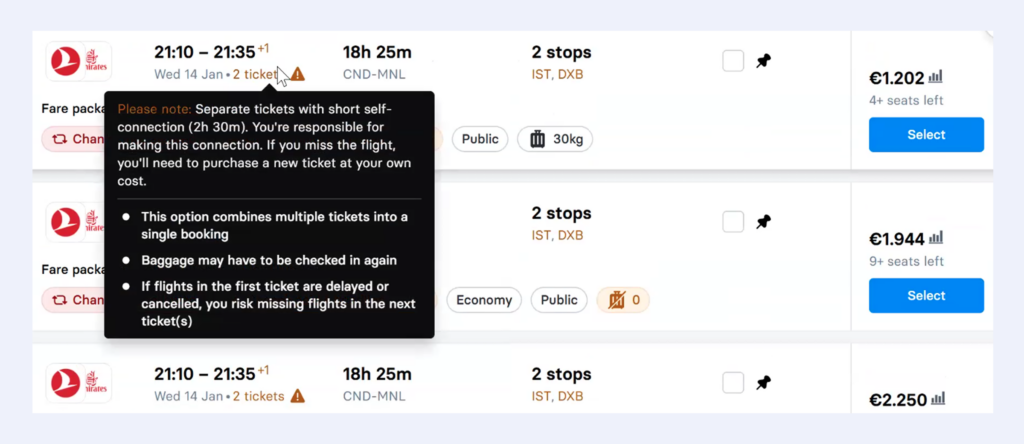
More options with short connections
The minimum connection time for flights booked on separate tickets is now 2 hours instead of 3.
Short connections are clearly marked, so you can see the connection time and decide if it works for you before booking.
When booking regional or familiar routes where a 2–2.5 hour connection is realistic, you’ll now see more usable flight options instead of being forced into long layovers.
Must include/avoid filters for hotels
You can now include or exclude hotels using keywords.
Type a hotel name or location to show only what you want — or hide hotels you don’t want to see.
Only want hotels near Heathrow or need to exclude a specific hotel your team doesn’t use? Add it as a keyword, and your results update instantly.
Contact teamcs@cteleport.com to request more information about the updates 🌟
And, if you’re new to C Teleport, you can book a demo today to see what this could look like for your company. 🌟
Here’s to smarter travel management, better cost control, and more convenience for your entire team! ✈️